
 Chart Repository
This article describes how to integrate a Chart repository in the Zadig system.
# How to Integrate
Access Resource Configuration → Chart Repository → Add, fill in the Chart repository configuration information, and save it.
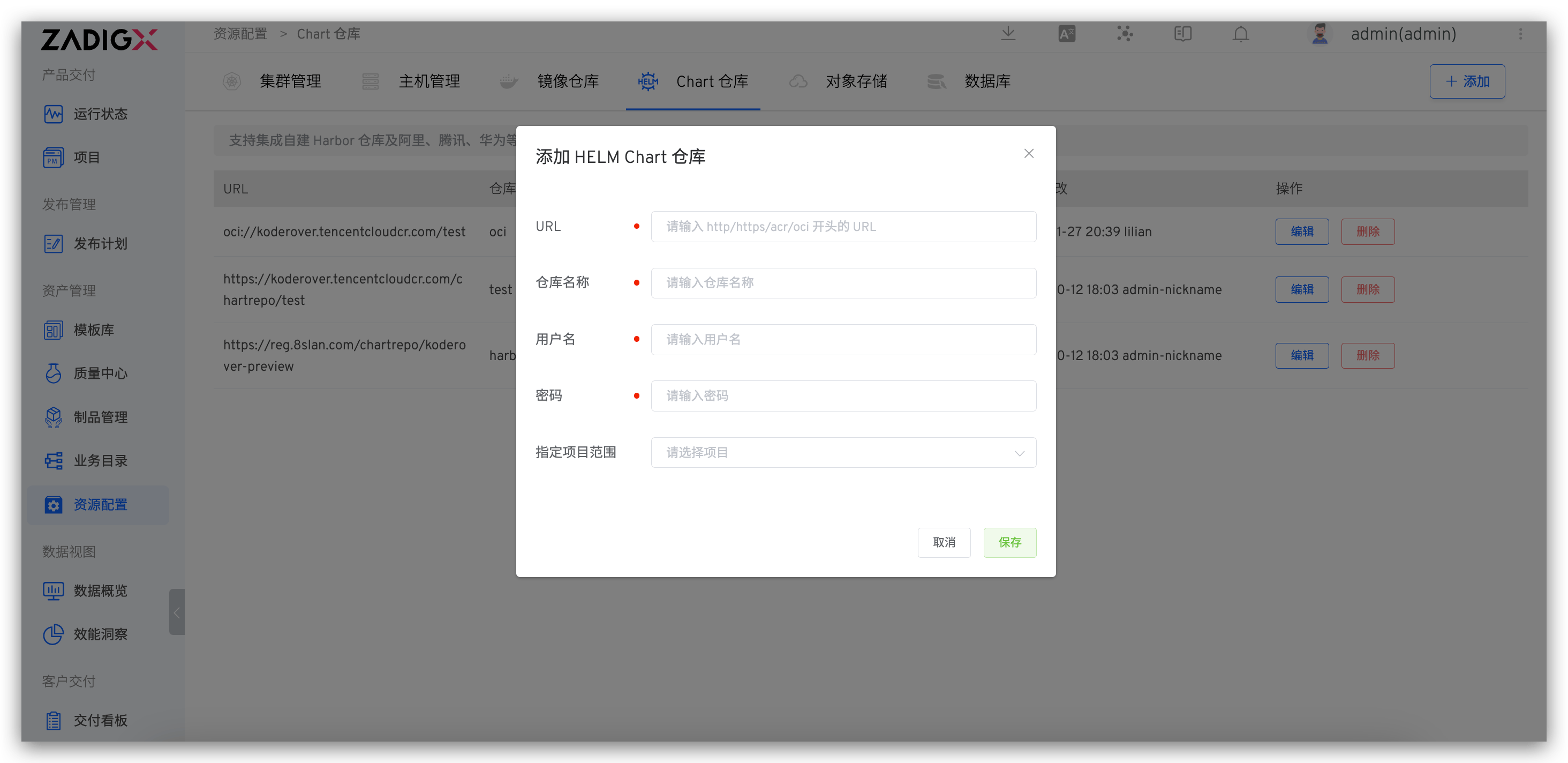
Field Description:
URL: Repository access address. Supports http, https, acr, and oci protocolsRepository Name: Repository nameUsername: Repository usernamePassword: Repository passwordSpecified Project Scope: Specifies which projects can use the Chart repository.All Projectsincludes projects created after the repository is added
# Using the Chart Repository
- Import Chart configuration from Chart repository, quickly create new services, and refer to synchronize services from Chart repository
- Add the Chart configuration in the Chart repository to the production environment, quickly instantiate the deployment, and refer to add services
- Upload the verified Chart to the Chart repository, which can be used for version delivery and refer to version management

